
If orders drop to production without require files, FDM4 methods can be setup to require a file be specified as "prod" before it will allow the order to drop to production. This prevents an order from dropping without the necessary files.
Follow these steps for setup:
-
Go to Decoration Method > Select the Method you wish to update
-
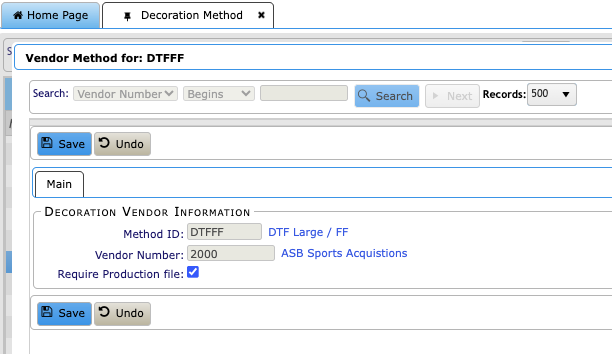
Select Method Vendors > Locate the decoration vendor and select "Require Production file" flag. Setting this to True will trigger the new hold that is created if a prodfile is not loaded to a design/art when ordering from that Vendor/Warehouse.
-
In Hold Codes a d_fil hold is created and will trigger if there is no prodfile set on the design/art when ordering from the Vendor/Warehouse that uses the Require Production file flag.
-
In Decoration Design Master the Proof Required flag will remain true after proofing approved if there is no prodfile on the attached art. If there is a prodfile, it will go to false after proofing is approved.
-
There are new Prodfile columns in the following modules Column Management:
-
-
Proof Management
-
Art Management
-