
To locate the commission cost of an item in Quick Quote, follow these steps:
- In the Items section, click "Add Product" and select the item.
- Click Add to Cart, then Add Cart to Quote
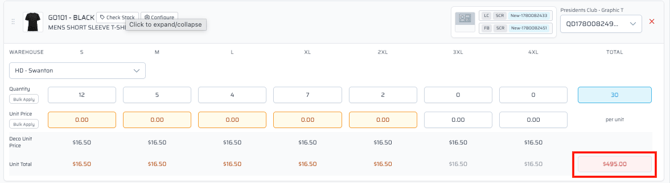
- Commit a quantity (min. 1)
- Click the unit subtotal box
- View the Cost Column
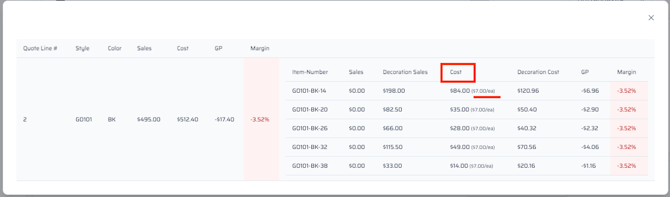
The amount show is what you will be costed at for the order.