
When the quote is entered with items, and possible decoration, the user is able to view their gross profit, margin, cost, etc., under the items tab of the Quick Quote.
-
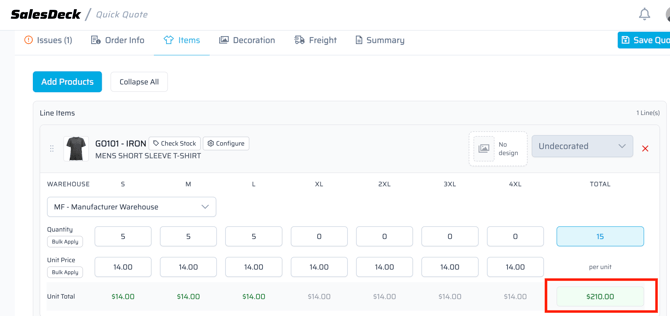
Select the total price on the item, either green or red (dependent on the GP).
-
A pop-up will open and show a good breakdown of everything, including the GP and margin.
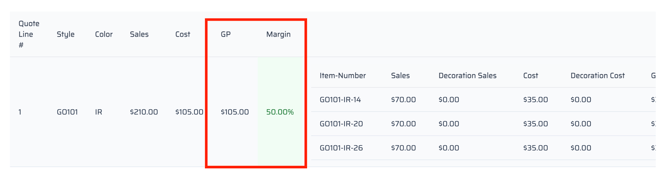
Green means good, Red means bad. RSM approval is needed for orders with low margin.