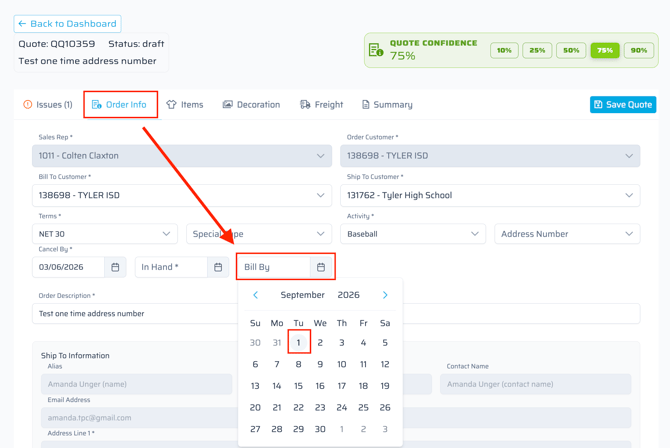
To set a future bill date on a Quick Quote, follow these steps:
- Go to the Order Info tab in Quick Quote
- Select the Bill-By Date field and enter 7/1*, 8/1* or 9/1* of the corresponding year
This field prevents the order from billing until this date has passed.
*Per the Sales Policy Handbook, these are the only future billing dates allowed.