
On the final tab, titled Summary, there is an option to send quote for approval. Make sure all issues in the Issues tab are resolved before sending for approval.
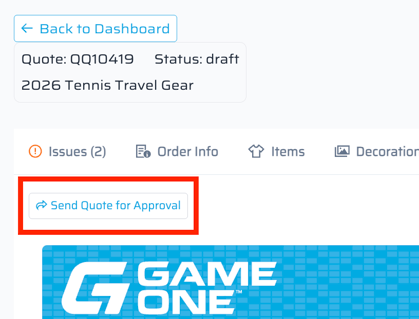
After selecting this, a pop-up will appear with the customers email address that is attached to the address/activity used on the Order Info screen. (ie. above would populate the tennis coaches email address, since that is who's contact info is saved under Tennis in FDM4.)
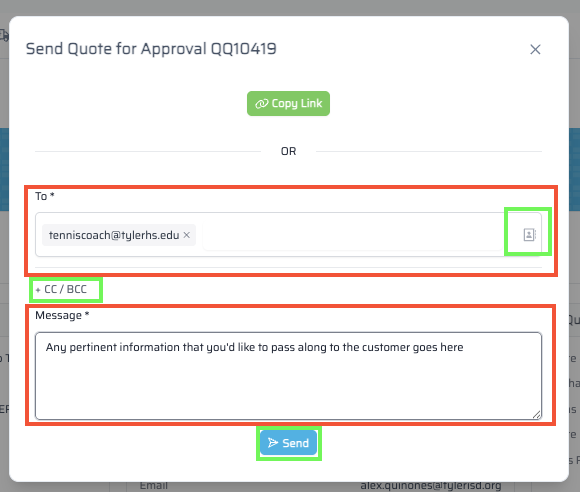
-
 allows for a manual email to be entered into that field, or the
  , to the right, allows for the entire school's contact list be searched for an email.
 -
 will open up fields for others to be cc'd on the quote approval.
 -
 field allows for any pertinent information be passed along to the customer here. It will appear in the email they received with the approval.
 -
 will send the approval out to the customer.
  will provide a link that can be passed along in a text, email, chat, etc. for the customer to approve or reject that way.
Quick Quote's can be updated until it is submitted to FDM4. If a customer approves or rejects, it can be reverted back to a draft for changes to be made. Once submitted to FDM4, changes would need to be made to the order in FDM4 (contact Account Manager).