
A Quick Quote can be re-sent to a customer from the Quick Quote Dashboard or the Summary Section.
Resend Quote from the Quick Quote Dashboard
-
From the Quick Quote Dashboard > Actions > Resend Quote
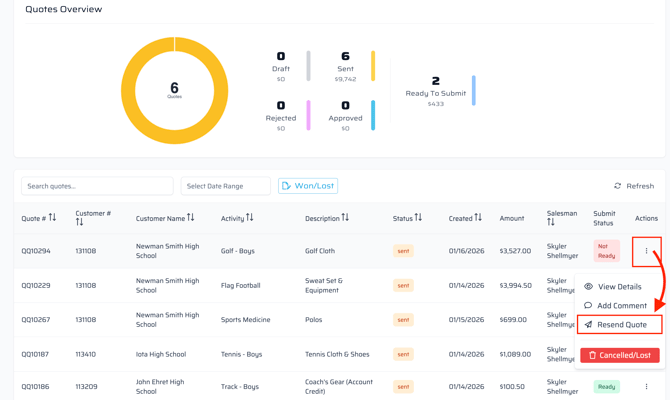
- Use the pop-up window to select your recipient(s) and resend.
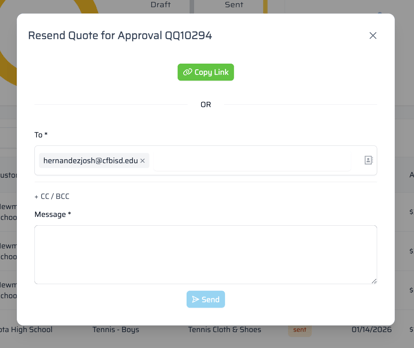
- Alternatively, use the "Copy Link" shown above to send a copy to the customer via Outlook or text message.
Resend Quote from Summary
If accessing the quote's Summary section, the same steps can be found by using the "Resend Quote for Approval" button.
