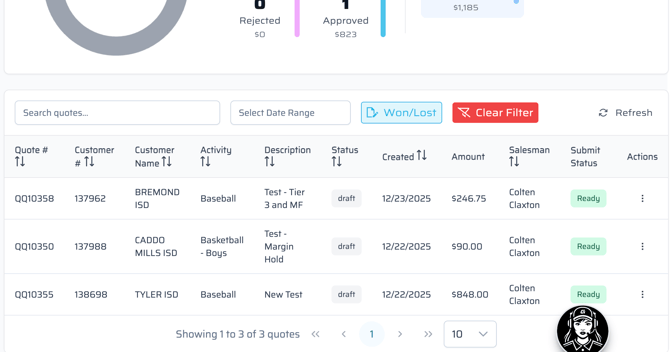
"In Progress" is anything that is on your dashboard as a draft, approved, rejected, ready to submit, or sent.
- After opening Quick Quote from SalesDeck, the page will show the below dashboard.
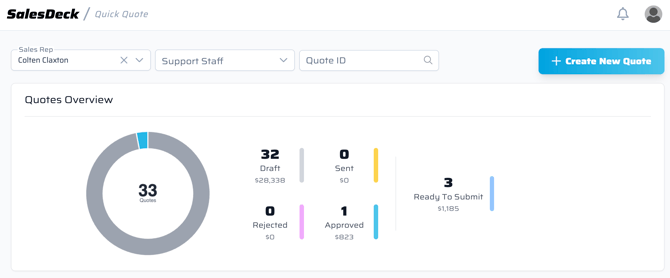
- By selecting one of the choices (Draft, Sent, Rejected, Approved, or Ready to Submit), it will pull up the Quick Quotes within those categories.
- Draft means that the Quick Quote has not been sent to the customer for approval.
- Sent means the Quick Quote was sent off to the customer to be approved or rejected with comments.
- Rejected means the customer does not approve of the quote. They are prompted to enter comments when rejecting.
- Approved means the customer approves of the quote and it can be pushed to FDM4 to be released to an order.
- Ready to Submit means that the Quick Quote needs to be submitted or pushed to FDM4 for it to become an order.
- Based on what is selected in step 2, the list below this dashboard will change the list of Quick Quotes in those categories.