
Sometimes a customer may not know if a quote is approved in a timely manner. If the customer needs more time, and the Quick Quote doesn't want to be re-entered from scratch, extending the cancel date will save the quote longer to allow the customer more time to respond.
-
Select the Quick Quote that is needing more time for the customer to make a decision.
- In the main screen, update the cancel date.
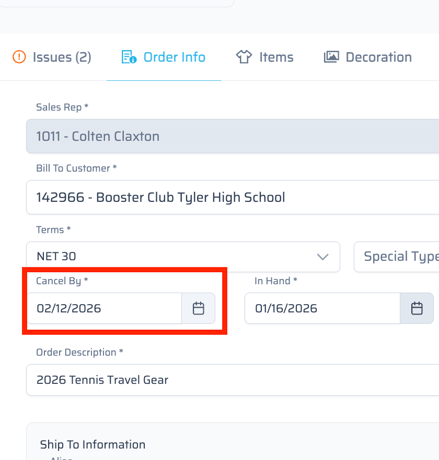
- Extend this date out further to provide more time for the customer to respond.
Once a cancel date has passed, we are unable to copy that to a draft in the current state of Quick Quote (1/15/26).