
When using Credit Card terms on a quote, users will be prompted to select a card or add a new one of one does not yet exist.
Follow these steps to apply the card to the order:
-
On the Order Info section, set the terms to Credit Card.
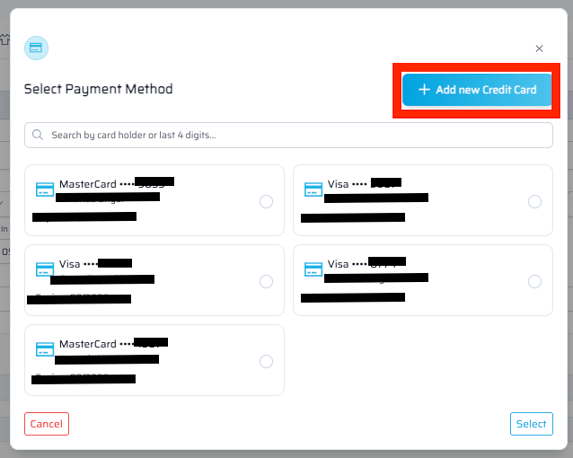
- Click Select a Card and select from available saved cards in the pop-up screen or click Add New Credit Card.
- Click Save.
Cards added to a customer's account will be saved and available for use on future orders.
Adding a Credit Card via the Customer Account Center
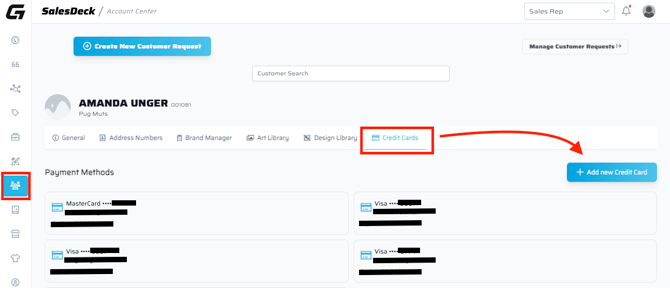
Cards can also be added in the Customer Account Center under the Credit Cards section.
Need to request a card be removed or changed? Click the "Create New Customer Request" > Edit Existing Customer and your Billing Analyst will be notified of the request.