
Custom Item SKUs (aka C-Items) are easy to use in Quick Quote. Follow these steps:
-
Go to Items > Add Products > Existing Product
- Search using "CST [Vendor Name]" (examples: CST Nike, CST Promaxima, CST Adidas).
- Add as many variants of the SKU as needed. Remember a "variant" is a unique item. If ordering 3 unique items, select variants 1, 2 and 3.
- Add item to Cart and add Cart to Quote
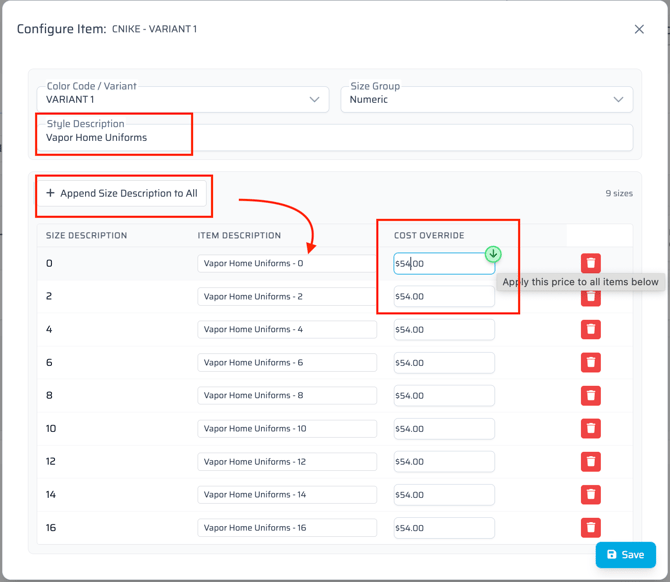
- Select "Configure" on a variant
- Select the Size Group for the corresponding product
- Edit the Style Description and Cost override (vendor cost), and click "Append Size Description to all" if applicable). Click Save.
- Proceed to commit the necessary quantity of each size.
Remember C-Items can only be sourced from the MF Warehouse and cannot be decorated in a Game One facility.