
On the Quick Quote dashboard, if the quote is active the ability to cancel it is available.
-
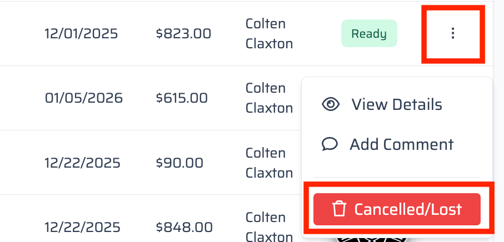
Select the three dots on the line of the quote needing cancelling.
-
Select Cancelled/Lost
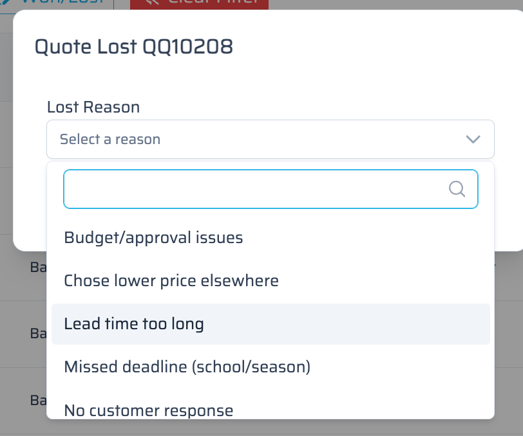
- A pop-up will appear next asking for a reason for cancellation/loss.
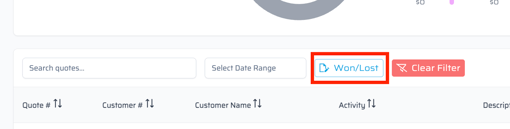
- This will now move to the Won/Lost filter on the dashboard.
If the quick quote was submitted already and is not active, reach out to the appropriate Account Manager to see if cancellation is possible.