
If you customer requires a contract or buy board number on every quote, work with your Billing Analyst to get it added to the FDM4 Customer Master. Once added, it will generate automatically on your Quote Summary screen.
Adding a Contract Number to the FDM4 Customer Master
-
Open the Customer Master and locate the customer
- In Custom Fields add the contract number to the "Contract No." field.
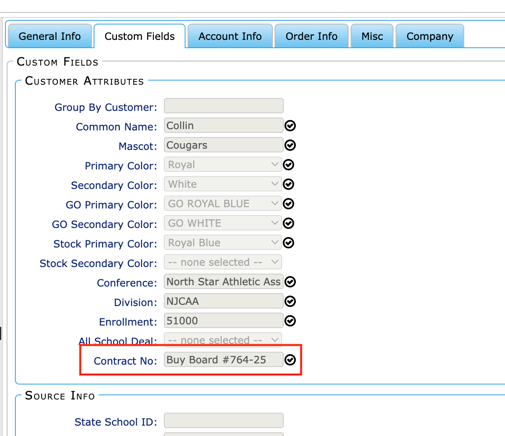
- Return to Quick Quote and the number will appears on the Summary > Quote Details.